Know your damage.
Own your next fight.
Live DPS, boss health, class-colored rankings, and the breakdown behind every hit. Your fight, made readable.
Download GoatMeterExplore the overlaysWindows x64 · Free download · No GitHub login needed

A meter that fits your screen.
Switch layouts without losing the essentials. Move the overlay, adjust opacity, and keep your fight in view.
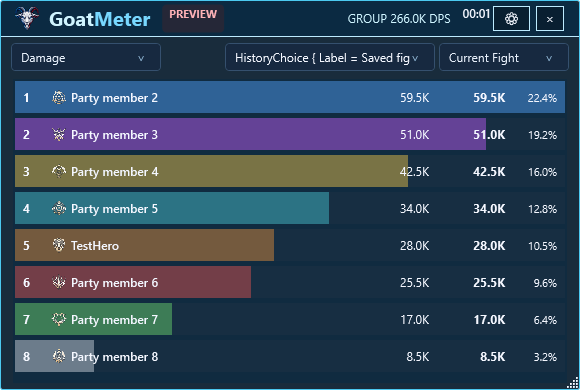
See your contribution
DPS, total damage, and share of the group’s damage in one ranked view.
Follow the boss
Target names and HP updates alongside fight time and group damage.
Make it yours
Blue and red, glass, compact layouts, and movable transparent overlays.
Every skill.
Every detail.
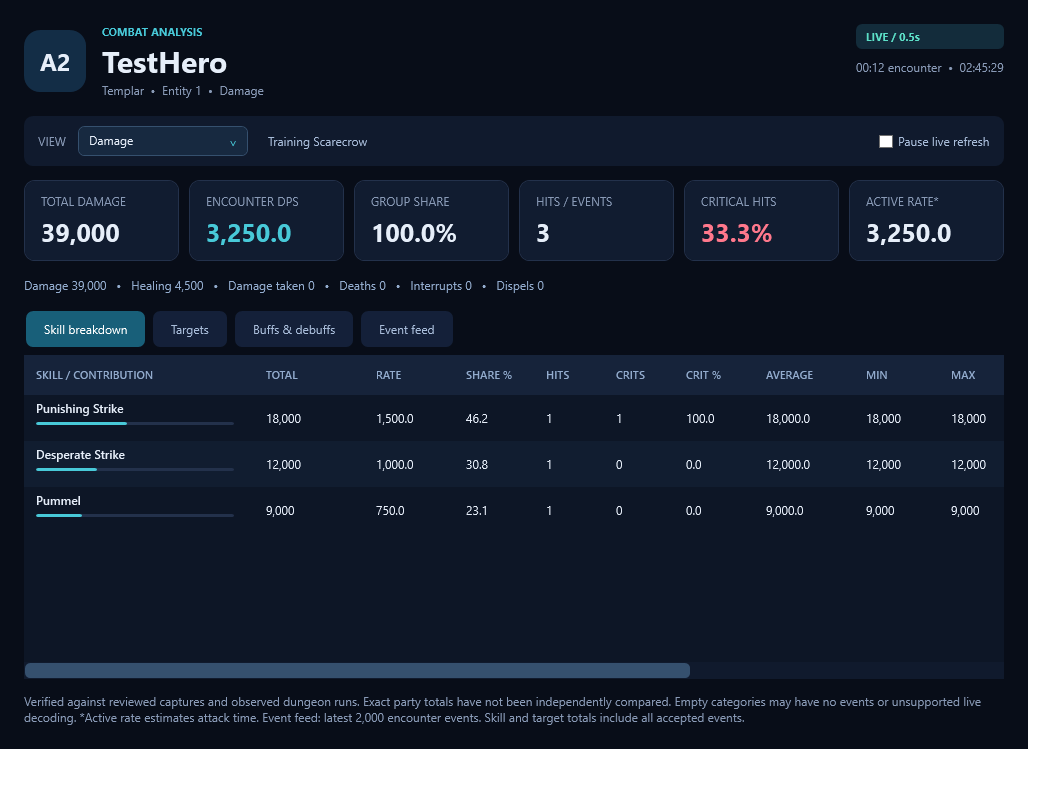
Double-click a player to explore skill totals, hit counts, criticals, target breakdowns, and recent combat events.
Review completed encounters while keeping the next fight separate.
Download. Install. Pull.
Get the Windows installer
One download includes GoatMeter and the runtime it needs. No developer tools required.
Follow the setup guide
If Npcap is missing, setup opens its official download page. Install Npcap, then return to GoatMeter setup.
Launch and enter combat
Open GoatMeter, open the overlay, and play AION 2. Live values appear when combat packets are decoded.
Bring GoatMeter to your party.
Install it on each player’s PC. Everyone gets their own view of the fight.
THE HERDGood runs. Better company.
Meet other GoatMeter players, share your dungeon stats, and talk about the meter with the community.
Join DiscordYour next party starts with a hello.
Help GoatMeter keep going.
If GoatMeter adds something to your dungeon runs, you can send a voluntary contribution to its creator. The app remains free.
Choose your amount on PayPal. Payment is handled on PayPal’s website.
A few quick answers.
What does “Verified” mean?
The tested build has passed regressions, reviewed combat captures, and observed dungeon runs. Exact party totals have not been independently compared. Game updates can introduce new packet layouts.
Does it modify the game?
GoatMeter passively observes local combat network traffic. It does not inject into the game, modify packets, automate gameplay, or read game memory. This is not a claim of publisher approval or a guarantee about account risk.
What if no damage appears?
Confirm Npcap is installed and enter combat. If GoatMeter reports a capture permissions error, try running it as administrator. Report persistent issues with your combat log.
Where can I report a problem?
Open an issue on GitHub with what happened, your build, and a relevant combat log. Review logs for personal information before posting publicly.